
💼 How EduTrack LMIS Works
Your all-in-one QCTO-Compliant Academic Management System
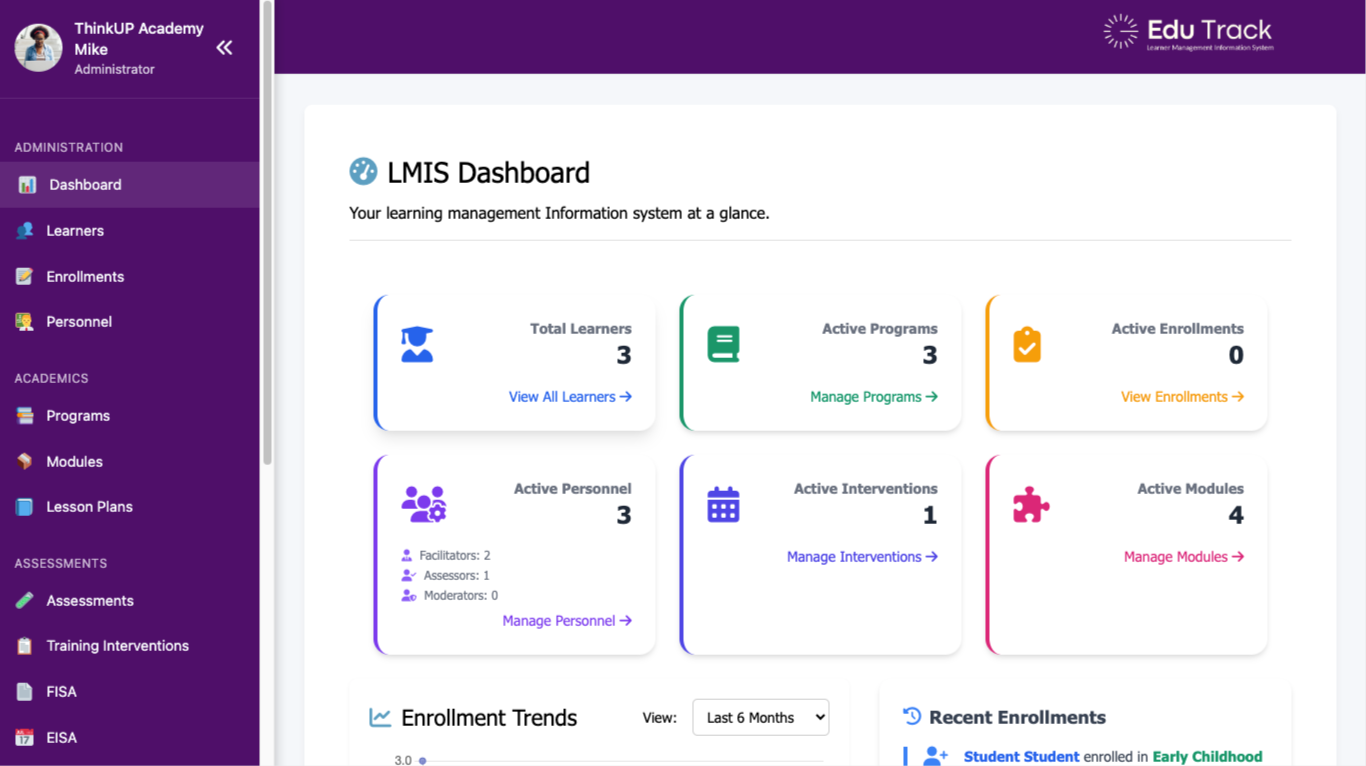
🖥️ Dashboard Overview
This is the EduTrack LMIS Administrator Dashboard — the heart of your operations. It provides a clear, real-time snapshot of your entire academic environment.
🔍 Key Features Displayed:
- Total Learners: Instantly see how many learners are in the system.
- Active Programs: Track and manage registered qualifications and skills programmes.
- Active Enrollments: Monitor how many learners are currently enrolled.
- Active Personnel: View how many facilitators, assessors, and moderators are active.
- Active Interventions: Check how many interventions are in progress.
- Active Modules: Manage modules linked to qualifications.
📊 Additional Functionalities:
- Enrollment Trends: Graph shows trends over time.
- Recent Enrollments: See live updates as learners enroll.
- Sidebar Navigation: Easy access to Learners, Programs, Modules, Assessments, FISA, and EISA.
👥 Manage Learners
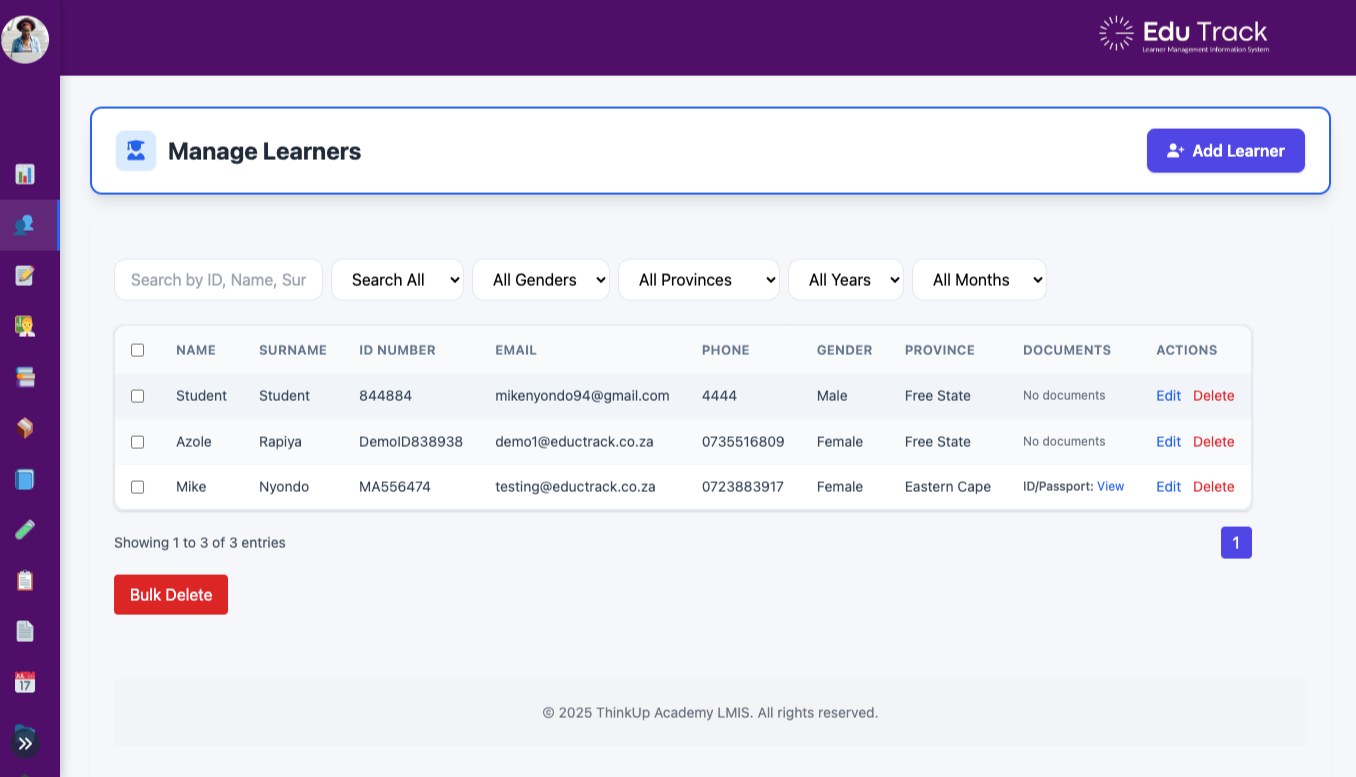
The Learner Management interface gives administrators full control over registered learners in the system.
- Search & Filter: Find learners by ID, name, gender, province, registration year, or month.
- Document Tracking: Instantly view uploaded learner documents (e.g., ID, qualifications).
- Quick Actions: Edit or delete learner records directly from the table.
- Bulk Delete: Select multiple learners and remove them in one click.
- Responsive & Real-Time: Designed for fast, dynamic updates without reloading the page.
This tool ensures data accuracy, compliance, and streamlined learner tracking aligned with QCTO expectations.
📄 Generate Statement of Results
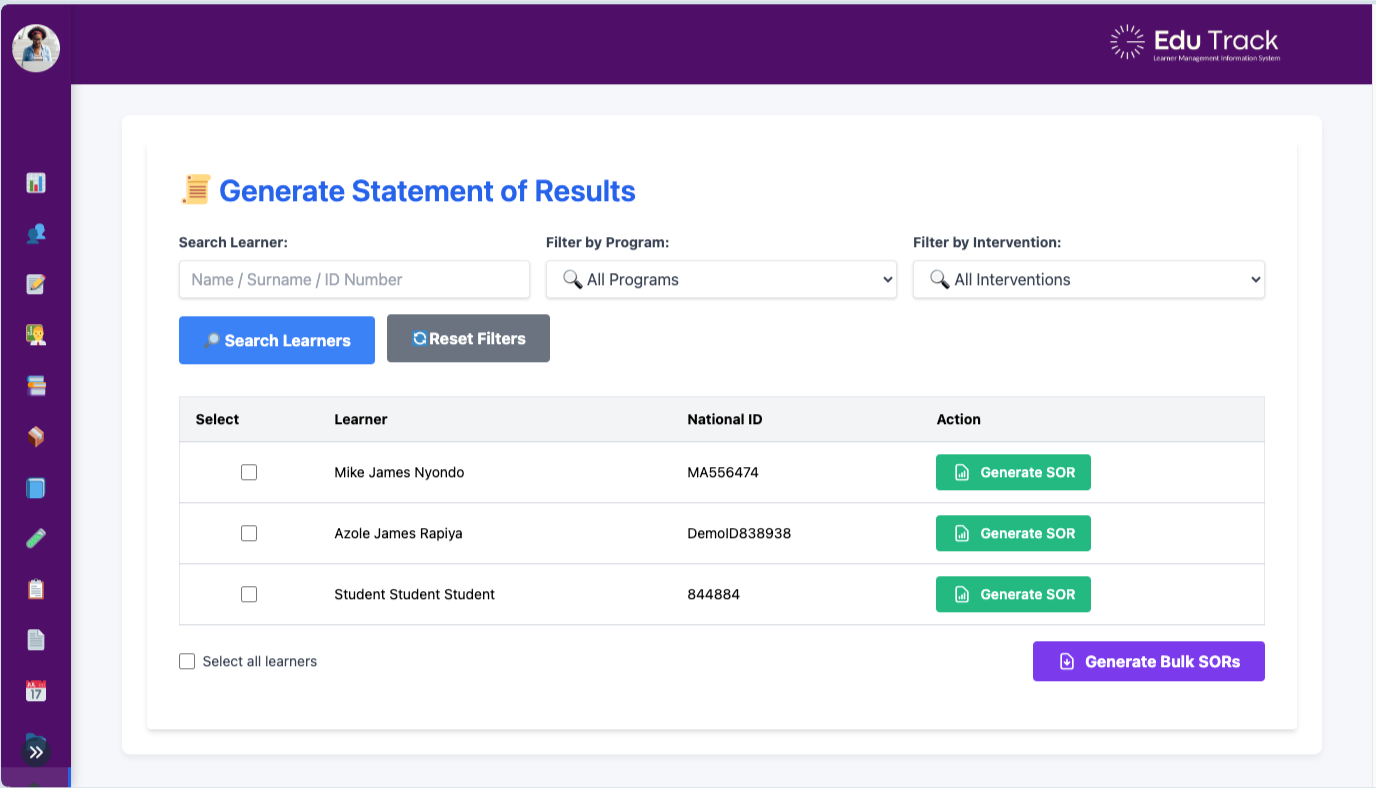
The Certification tool allows administrators to quickly generate QCTO-compliant Statements of Results (SORs) for learners.
- Search by Learner: Use name, surname, or ID number to find individuals.
- Filter by Program & Intervention: Narrow results to specific programs and cohorts.
- Instant SOR Generation: Generate individual SORs with a single click.
- Bulk Generation: Select multiple learners to generate SORs in one go.
- Compliant Format: Designed to meet QCTO and SETA verification standards.
This feature ensures fast, accurate certification aligned with regulatory expectations.
🛠️ System Settings & Backup
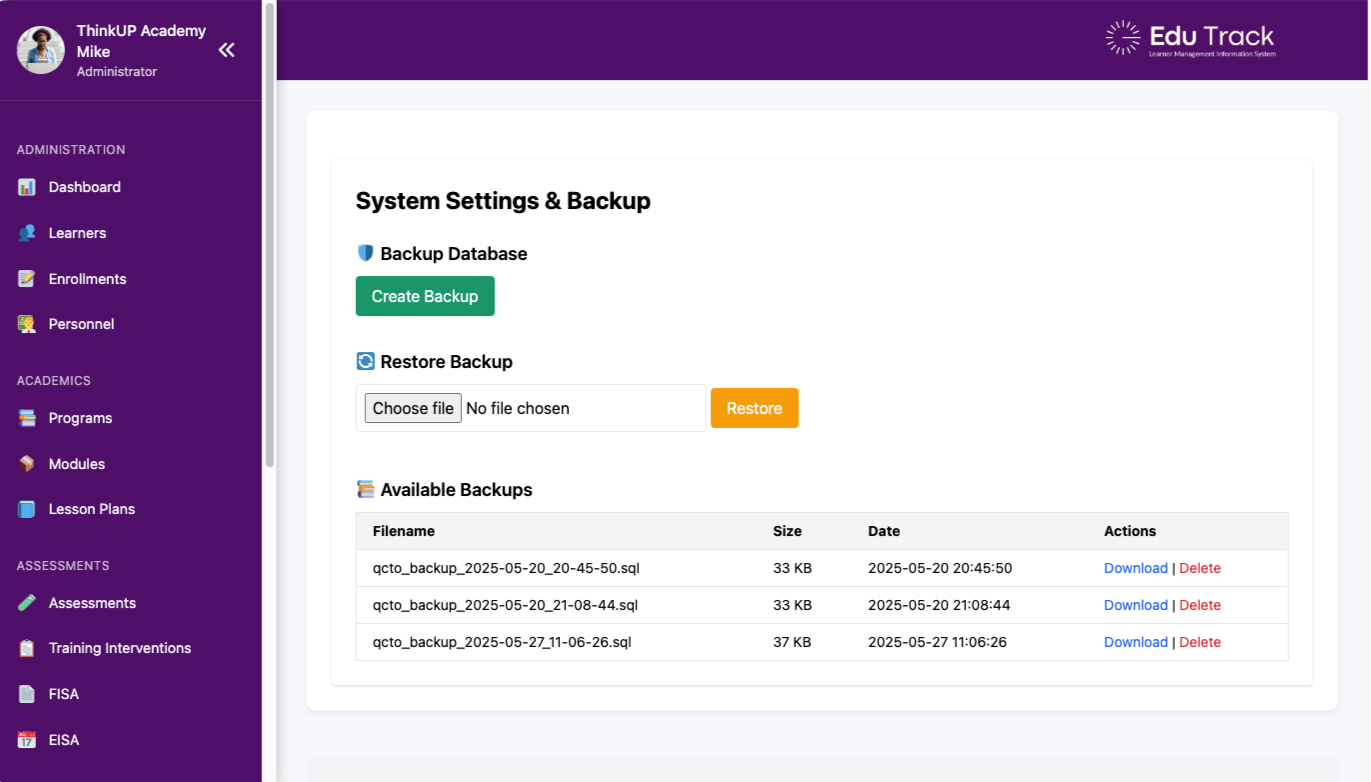
This feature empowers administrators to safely manage system backups and restore data in just a few clicks.
- One-Click Backup: Instantly create secure database backups.
- Restore with Confidence: Upload any .SQL backup file to recover past data.
- Backup History: View all available backups with size, date, and action buttons.
- Download/Delete Options: Manage your storage by downloading or removing backups as needed.
- Safe & Secure: Ideal for recovery, migration, and compliance audits.
With EduTrack LMIS, your data is always safe, organized, and recoverable.
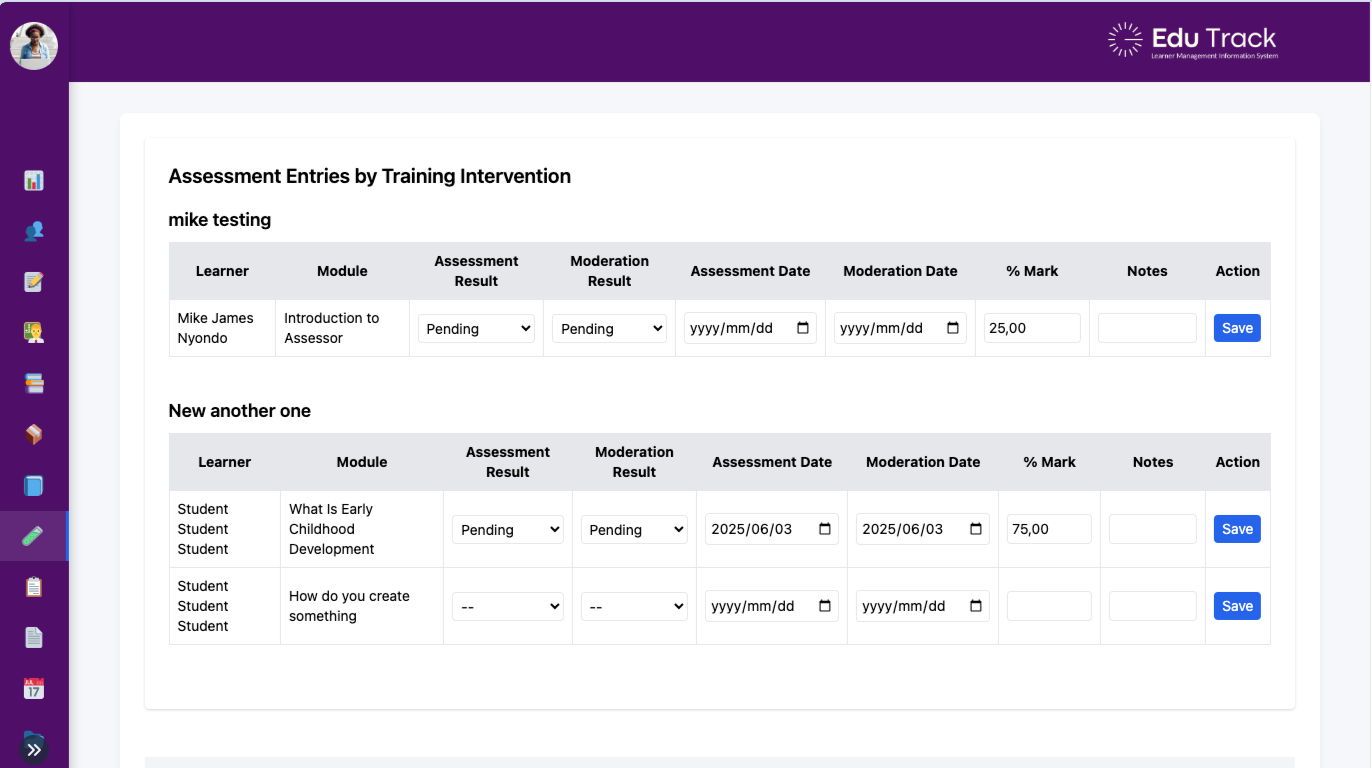
📝 Assessment Entries
This powerful interface lets facilitators, assessors, and moderators manage learner assessments by training intervention.
- Grouped by Intervention: View each intervention and the learners linked to it.
- Module-Wise Entries: Track assessments for every module a learner is enrolled in.
- Live Data Entry: Enter assessment results, moderation outcomes, dates, and notes in real-time.
- Save & Update: Save or edit assessment entries without reloading the page.
- QCTO-Compliant: Designed to match QCTO standards for recordkeeping and reporting.
This ensures transparent, trackable assessment management at all levels of facilitation and moderation.